Subscription Invoices
View and manage all subscription invoices in one place, with search by invoice number and quick access to invoice actions.
🧾 Invoices Overview
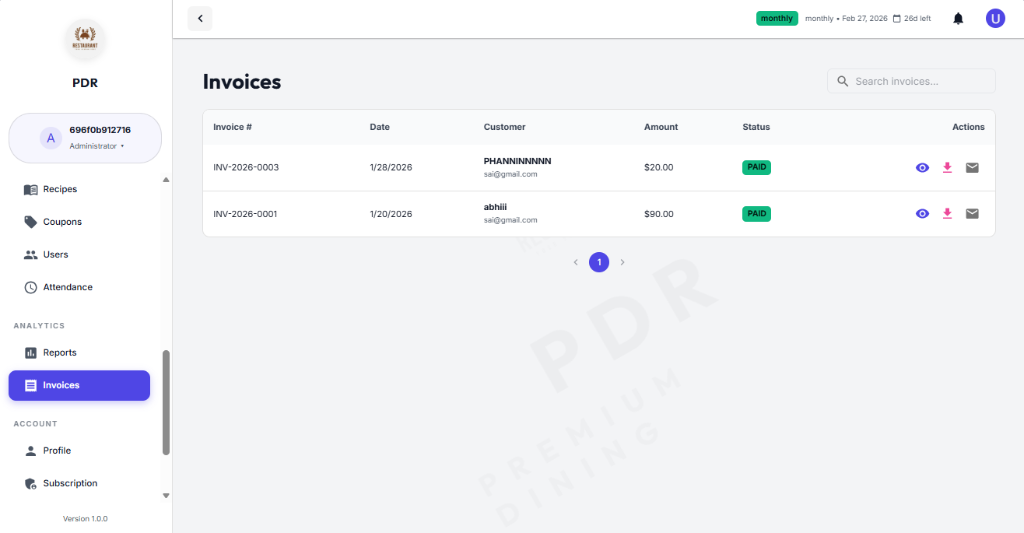
The **Invoices** dashboard provides a clean, searchable list of all generated bills. It allows you to quickly locate specific transactions by Invoice Number or Customer Name.
🔍 Search & Filter
Use the robust search bar to instantly find invoices. You can see key details at a glance: Date, Customer Name, Amount, and Payment Status (e.g., PAID).
⚙️ Actions
For each invoice row, you have three primary actions:
- View (Eye Icon): Open the invoice details page to review billing and payment information.
- Download (Arrow Icon): Save the invoice as a PDF for offline records.
- Email (Envelope Icon): Resend the invoice directly to the customer's registered email address.
Invoice View Details
Click the eye icon to open the invoice details page and review the full billing summary, payment details, and customer information.
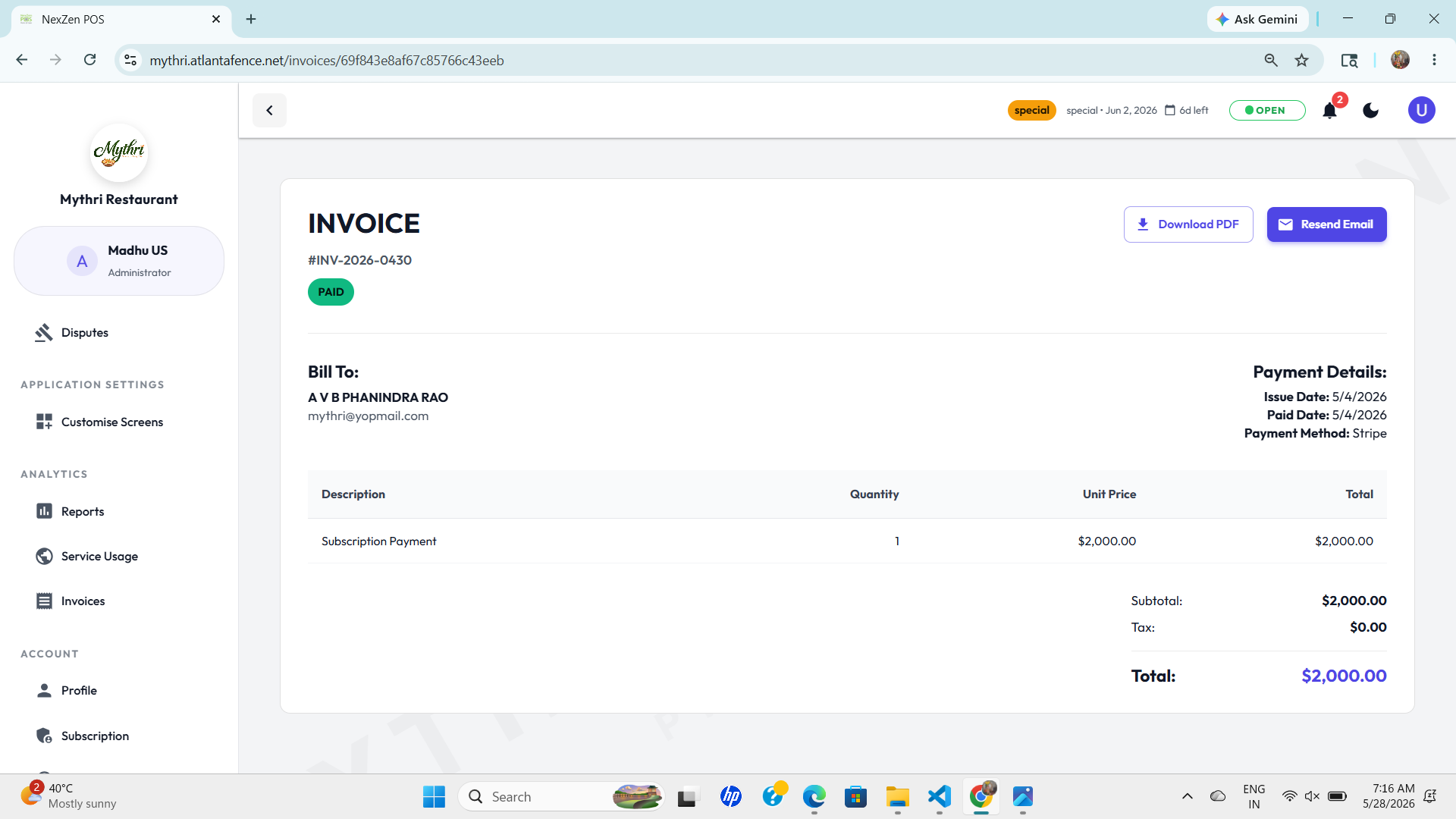
- Invoice Number: Unique identifier for the billing transaction.
- Customer Name: The name of the customer associated with the invoice.
- Billing Period: The subscription period covered by the invoice.
- Amount: Total amount billed for the subscription period.
- Payment Status: Indicates whether the invoice is PAID, PENDING, or OVERDUE.