Service Usage
Monitor third-party service charges and message delivery status for SMS, delivery providers, and email reports.
📡 Service Usage Overview
The Service Usage page provides a clear audit trail for third-party communication expenses and delivery status.
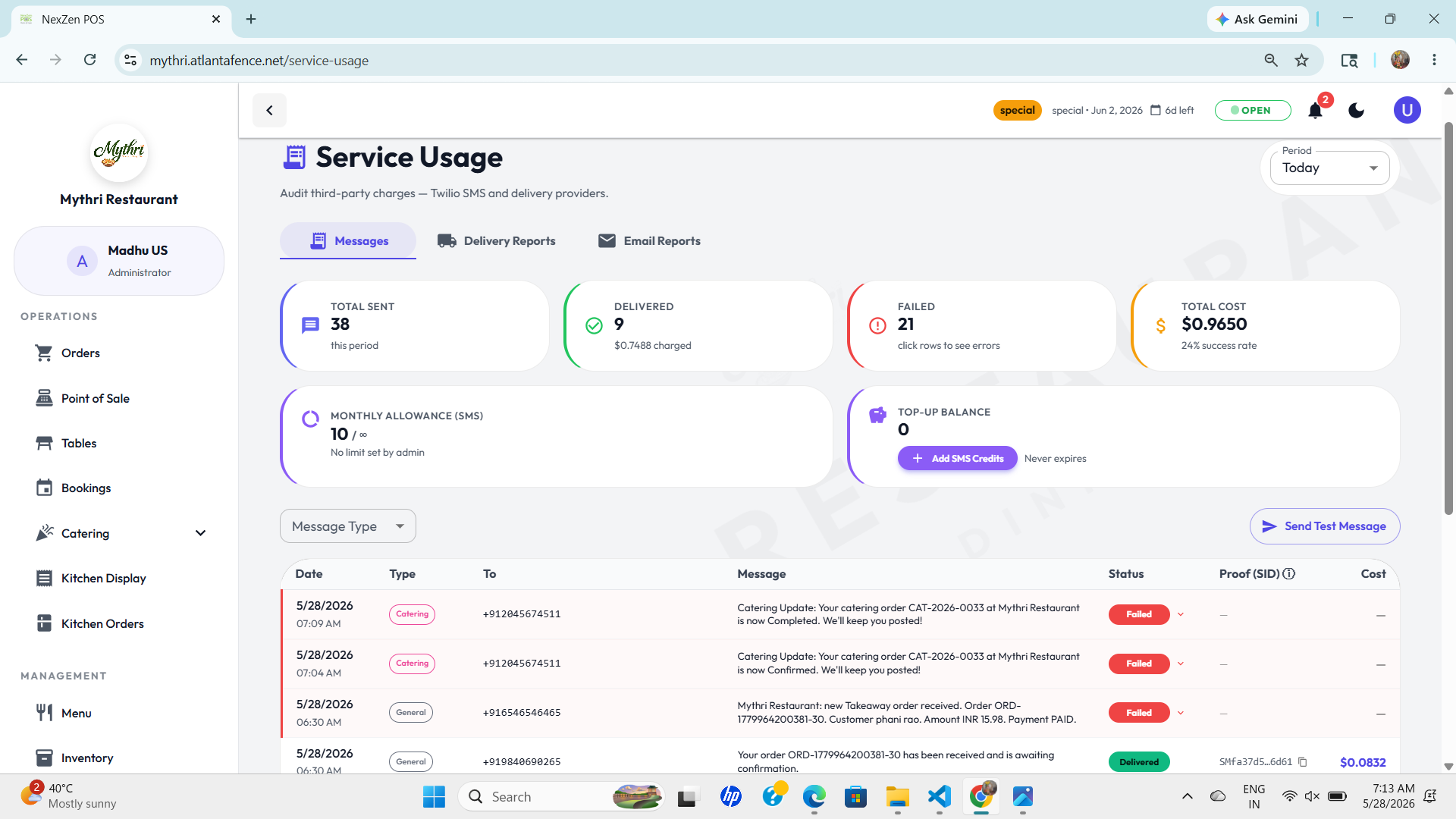
✉️ Message Activity
Track the total number of messages sent, delivered, and failed. The page also shows the total cost and success rate for the selected period.
💰 Billing Insight
Quickly review your SMS spend and top-up balance. This helps you reconcile charges against your Twilio or delivery provider invoices.
Message Details
The service usage table lists every message event with type, destination, status, proof ID, and cost.
- Date: The timestamp when the message was sent.
- Type: Categorizes messages such as General or Catering notifications.
- To: Destination phone number or recipient address.
- Status: Delivery state, including Delivered, Failed, or Undelivered.
- Cost: The charge incurred for each message.
Tip: Use the time filter in the top-right to compare data for Today, Last 7 Days, or custom ranges.
🚚 Delivery Reports
The Delivery Reports tab summarizes orders routed through delivery partners (e.g., DoorDash, Uber Eats). It provides quick metrics such as total orders, partner-specific counts, revenue, delivery charges, tips, tax and processing fees for the selected period.
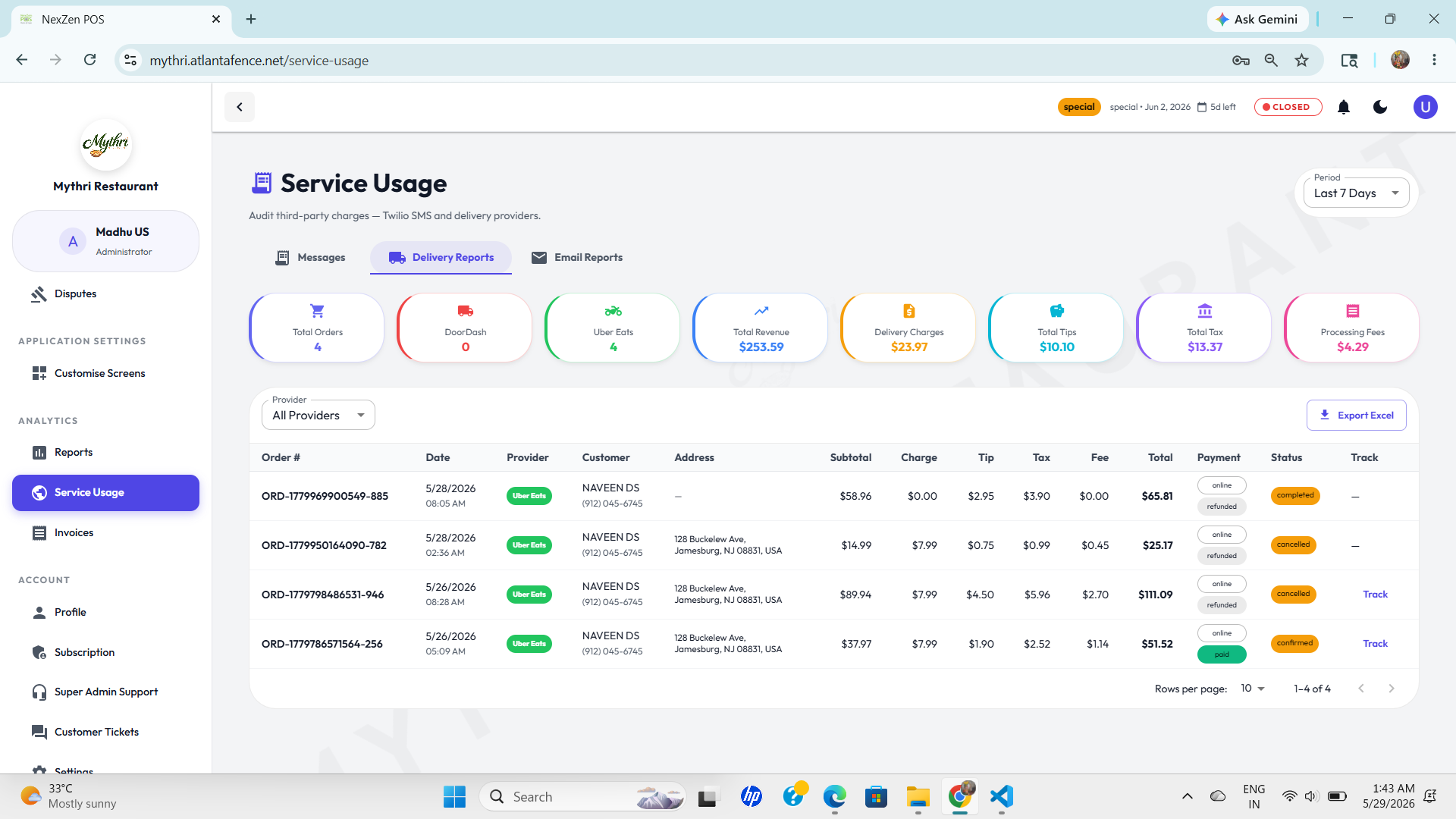
The delivery table lists each order with columns for Order #, Date, Provider, Customer, Address, Subtotal, Charge, Tip, Tax, Fee, Total, Payment, Status and Track. Use the provider filter and Export Excel button to download detailed records.
✉️ Email Reports
The Email Reports tab shows email activity for the selected period — total attempts, delivered and failed counts, distinct email types, and top-up balance. It also shows a monthly allowance progress bar and an exportable list of sent emails.
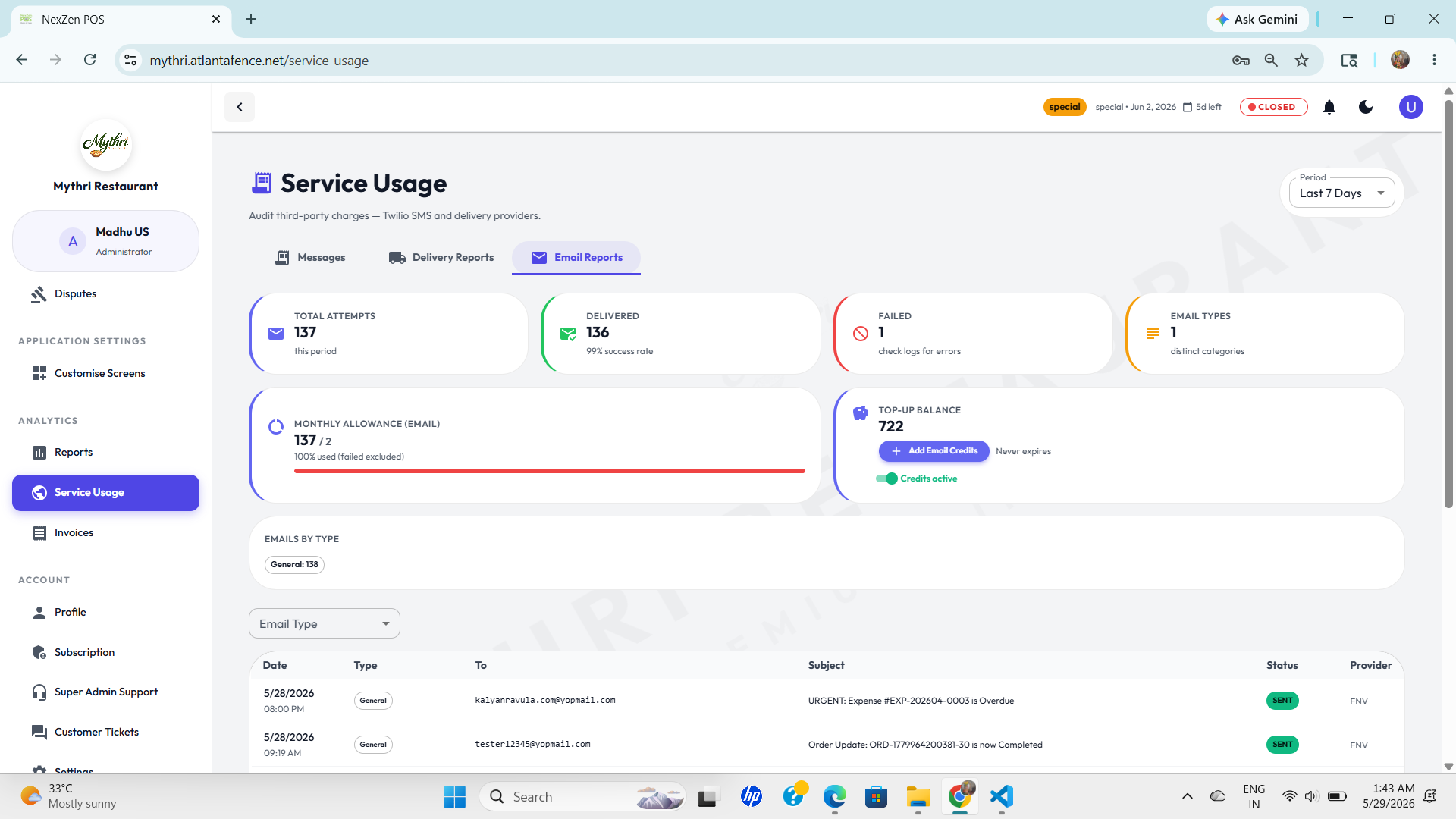
Use the Email Type filter to narrow results. The email table contains columns for Date, Type, To, Subject, Status and Provider. Click Export Excel to download records.