Loading...
Menu Management
Control your restaurant's offerings with a comprehensive digital menu builder.
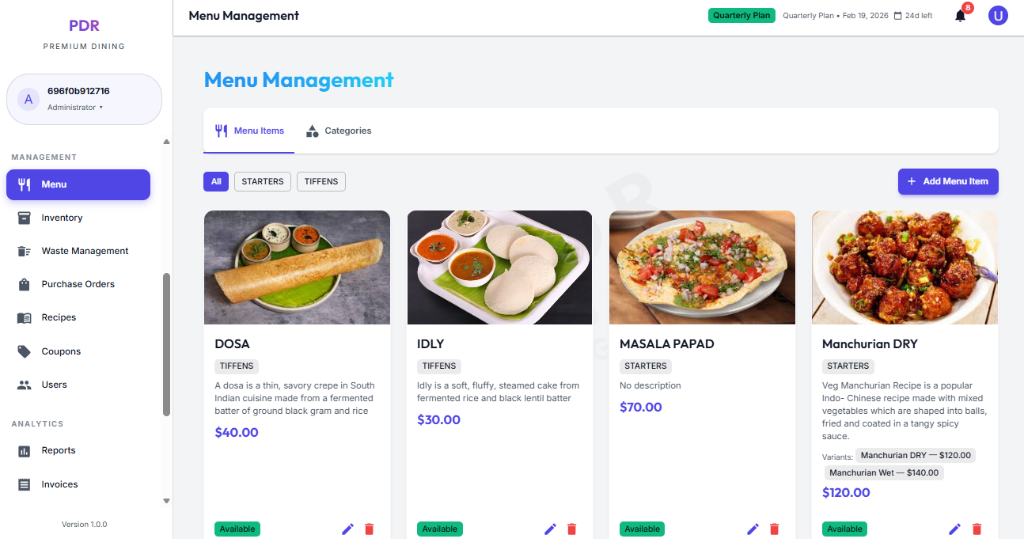
🍽️ Menu Dashboard
The Menu module allows you to organize items efficiently. Key core features include:
Organization & Navigation
- Top Tabs: Switch between Items, Categories, Trays, Recipes, and Add-ons to manage every menu dimension.
- Filter Chips: Use category pills like All, Appetizer, Biryani, Chinese and more to narrow the displayed items instantly.
- Bulk Upload:Click the Bulk Upload button to import multiple menu items at once using an Excel (.xlsx) or CSV file. Upload up to 500 items per batch and download a template to ensure correct formatting.
Item Card Details
- Visual Preview: Each card shows a hero image for the dish, making it easy to scan the menu visually.
- Item Info: Cards display the Category label, the Dish Name, and the Price clearly in the lower section.
- Status Dot: A small colored indicator on the card signals whether an item is active, low stock, or unavailable at a glance.
Status & Controls
- Availability: Item cards instantly reflect stock state with visible badges and status icons, so staff know what can be sold.
- Quick Actions: Use the card toolbar icons to Edit (✏️), Delete (🗑️), or Create Recipe (📄) a menu item without leaving the dashboard.
✏️ Adding & Editing Items
Click "+ Add Menu Item" or the Edit pencil icon to open the modal. The form is organized into tabs and sections for clarity:
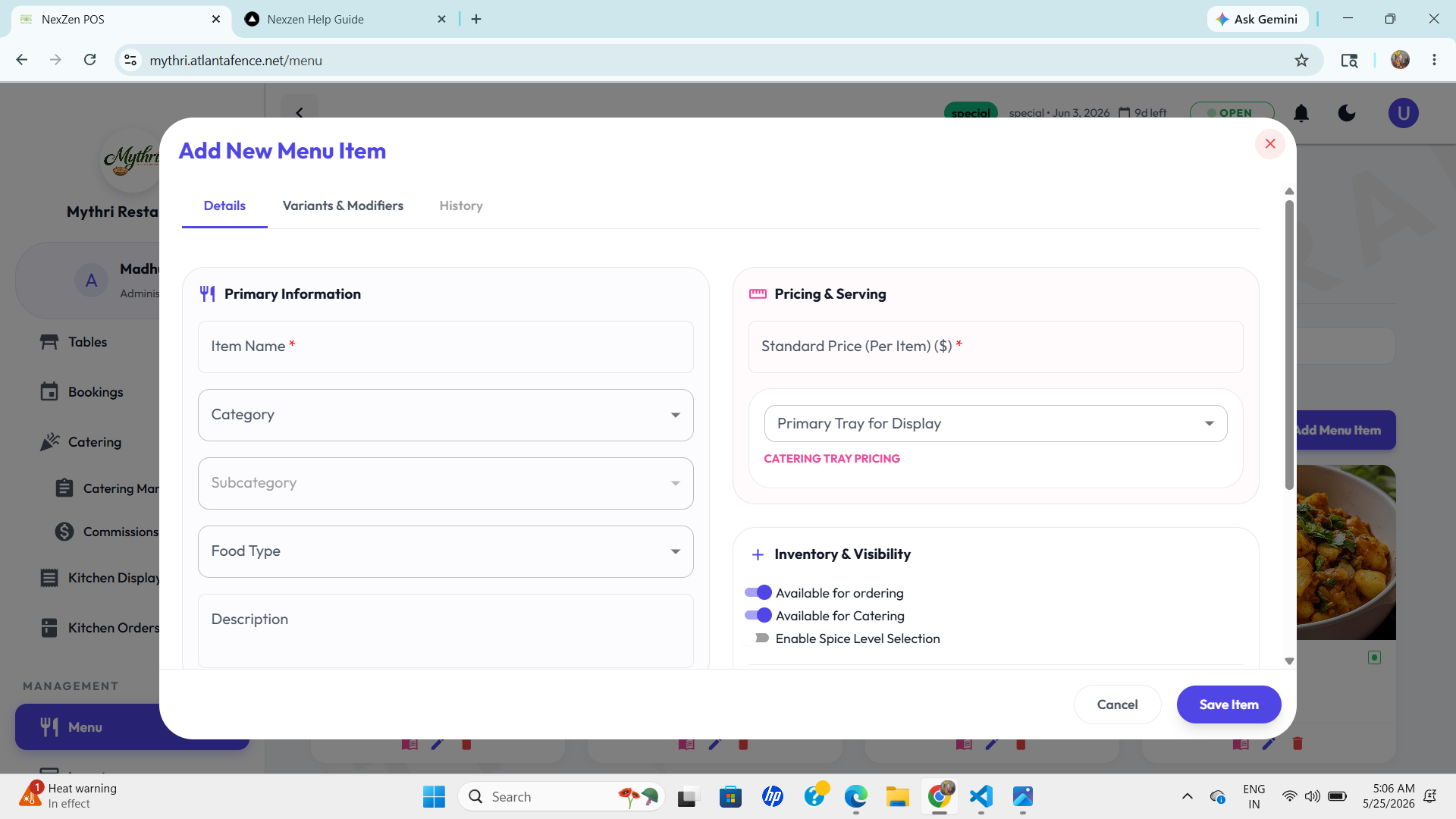
Details Tab (Primary Section)
- Primary Information:
- Item Name: Enter the dish name (e.g., Achar Paneer Kebab).
- Category: Select the parent category (e.g., Appetizer, Main, Dessert).
- Subcategory: Choose a sub-category for finer organization.
- Food Type: Specify whether the item is vegetarian, non-vegetarian, vegan, etc.
- Description: Add appetizing details about ingredients, preparation, or flavor profile.
- Pricing & Serving:
- Standard Price (Per Item): Set the base price for individual orders.
- Primary Tray for Display: Select which tray this item belongs to for catering and bulk display.
- Catering Tray Pricing: Configure special pricing for bulk or catering orders if applicable.
- Inventory & Visibility:
- Available for Ordering: Toggle to control whether customers can order this item immediately.
- Available for Catering: Toggle to include or exclude the item from catering menus.
- Enable Spice Level Selection: Checkbox to allow customers to choose spice intensity (mild, medium, hot).
Variants & Modifiers Tab
Define optional variations of this item—size options, add-ons, or preparation choices that customers can select at checkout.
History Tab
View a complete audit trail showing every menu-item change, including who made the edit, when it happened, and what fields were updated.
🕒 Tracking Item History
Switch to the History tab within the Edit Modal to view a complete audit trail of the menu item:
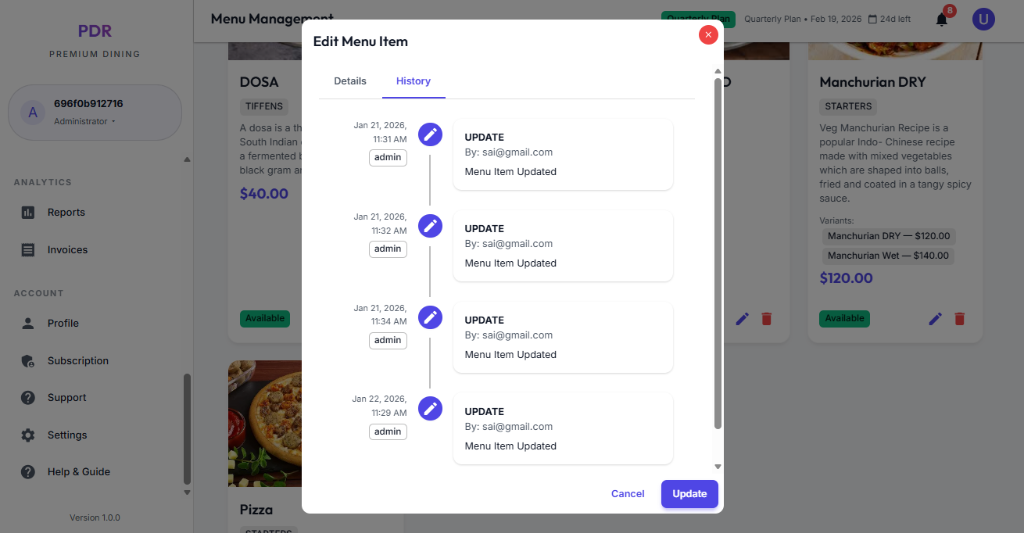
- Timeline Feed: Displays a vertical timeline of all modifications, with the most recent changes at the top.
- User Attribution: Shows the email address of the staff member who made the update (e.g., "sai@gmail.com") and their role (e.g., "admin").
- Change Logs: Clearly states the action taken, such as "UPDATE: Menu Item Updated", ensuring full accountability for price or description changes.
🗑️ Deleting an Item
To remove a dish from your menu, click the red Trash Icon on the item card. A safety confirmation popup will appear:
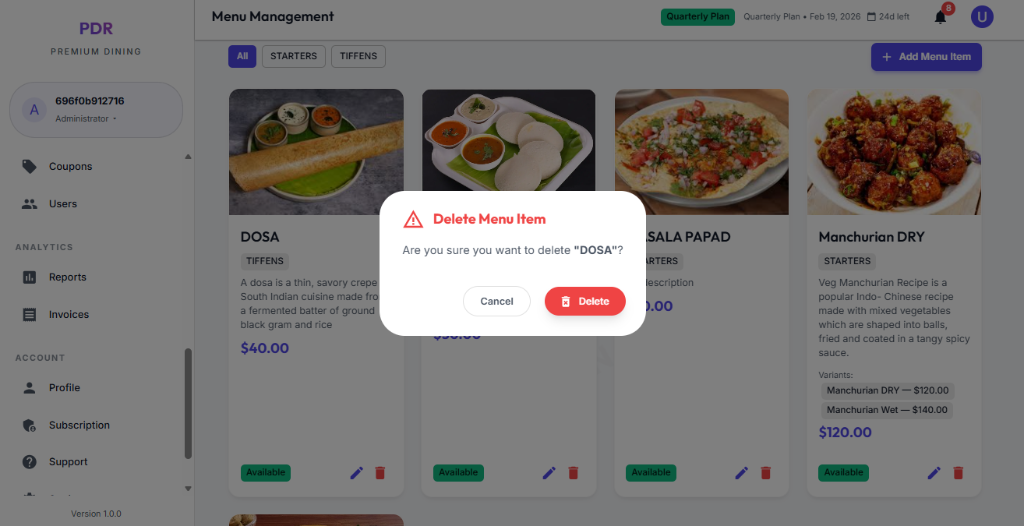
- Safeguard: The system asks "Are you sure you want to delete [Item Name]?" to prevent accidental clicks.
- Final Action: Clicking the red Delete button will permanently remove the item from the menu. This action cannot be undone.
- Cancel: If you changed your mind, simply click Cancel to keep the item.
📂 Managing Menu Categories
Click the Categories tab at the top to organize your menu sections. This view shows category cards with subcategory chips and quick toolbar icons for fast management.
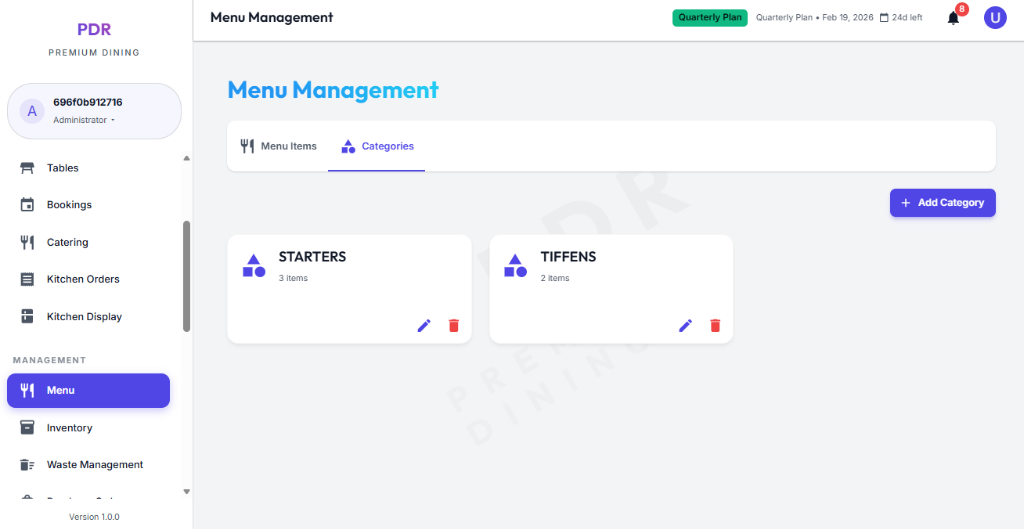
- Toolbar controls: Use the top buttons for + Add Subcategory and + Add Category, so you can build menu structure from both levels.
- Category cards: Each card displays the category name, the number of items inside it, and any linked subcategories as chips.
- Quick Actions:
- + Add Subcategory: Create a new subcategory directly under that category.
- Edit: Use the pencil icon to rename the category or update its details.
- Delete: Use the trash icon to remove the category when it is no longer needed.
➕ Adding a New Category
Click the purple "+ Add Category" button to open the category form. The modal collects all category details in one place:
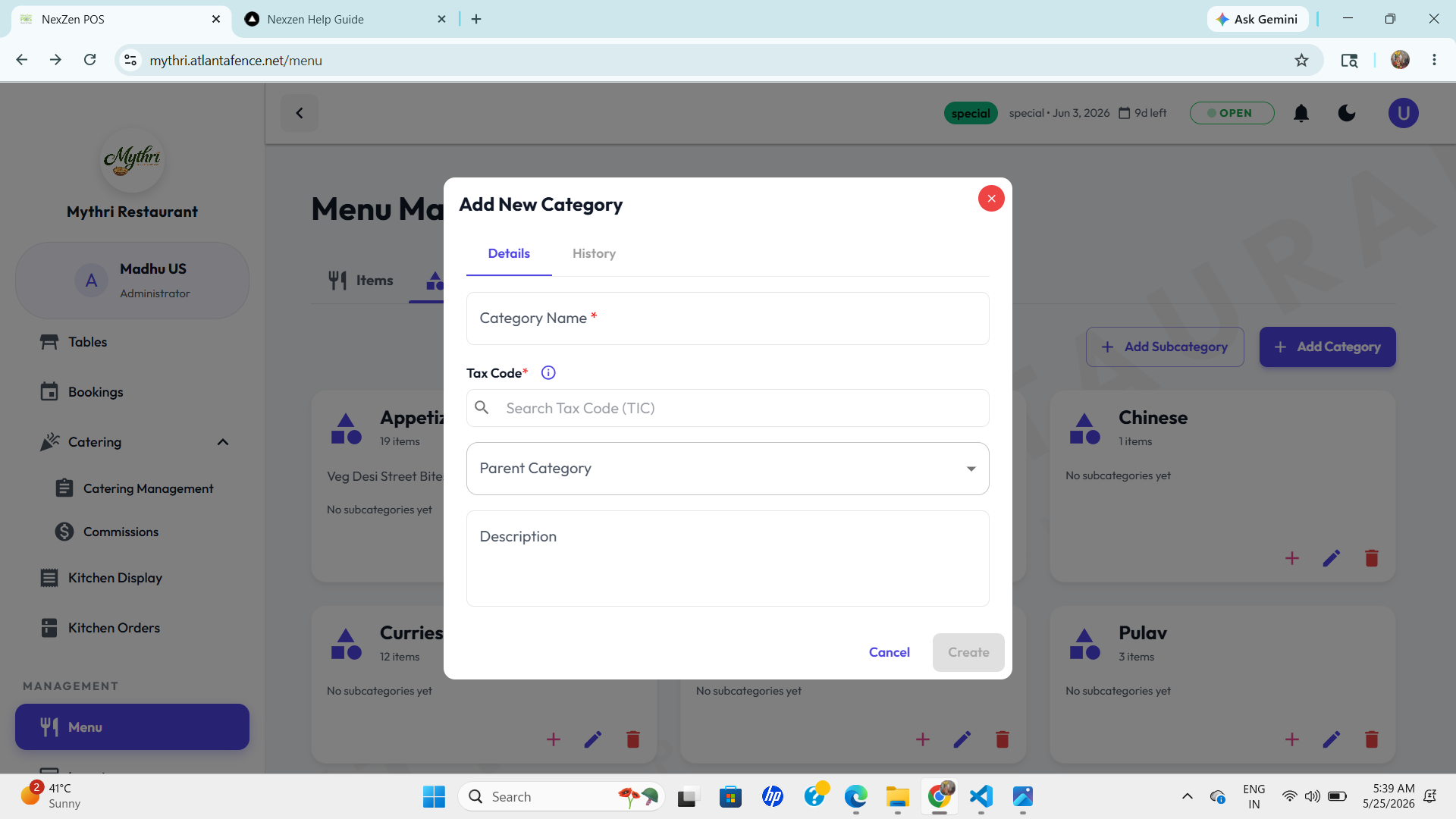
- Category Name: Enter a clear title such as Appetizer, Biryani, or Dessert.
- Tax Code: Search for and select the appropriate tax code (TIC) so the category applies the correct tax rate.
- Parent Category: Choose an existing parent if this is a subcategory, or leave it blank to create a top-level category.
- Description: Add an optional note about the category's purpose or contents.
- Create: Click Create to save the new category and make it available for linking menu items.
✏️ Editing Existing Categories
Click the Pencil Icon on any category card to open the Edit Category modal. This view contains two important tabs:
Details Tab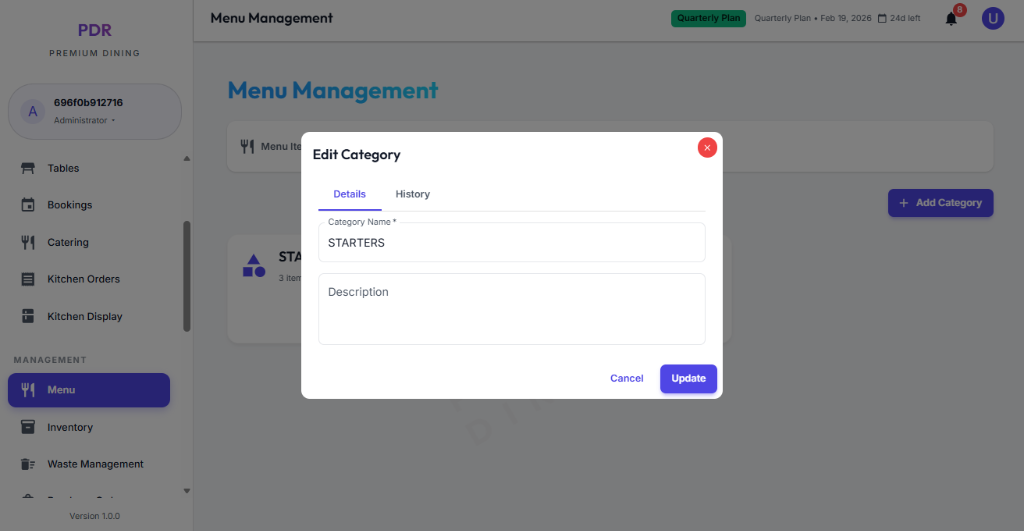
Edit the category name, tax code, parent category, and description in one place.
History Tab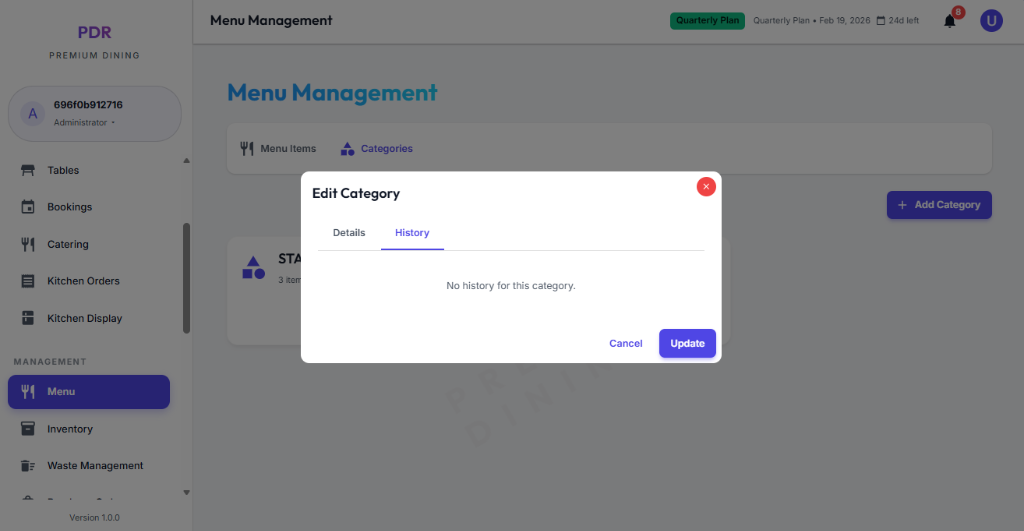
Review the timeline of category changes, including create and update events with date, user, and action details.
- Live Updates: Edit category details in the Details tab and see the update instantly propagate across the POS, menu overview, and linked item views.
- Audit Trail: Open the History tab to review a full log of category edits with user attribution, timestamps, and recorded field changes.
⚠️ Deleting a Category
To remove an entire category, click the red Trash Icon on the category card. This action requires extra caution:
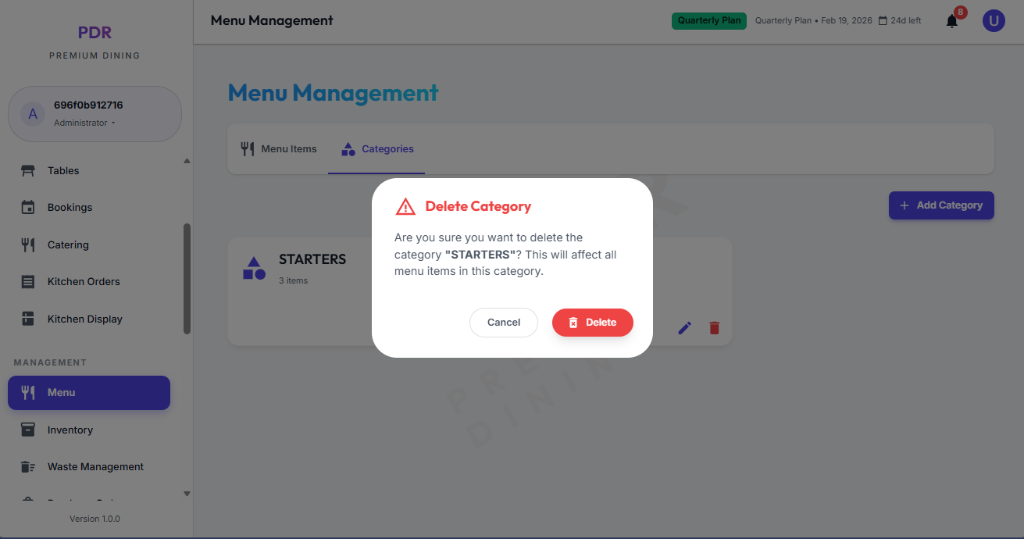
- Impact Warning: The popup explicitly warns: "This will affect all menu items in this category." Be sure you want to proceed.
- Confirmation: You must click the red Delete button to confirm the removal.
- Safe Exit: Click Cancel if you clicked the button by mistake.